Visual Search Challenge: Find the Items
Skill Observation Puzzle Family-Friendly Hidden Object Point and Click Browser Game Casual
Visual Search Challenge: Find the Items
149
Developer: Lock Shift Works
Updated: 2026-10-01

Reviews

Visual Search Challenge: Find the Items does one thing and does it without friction: it asks players to scan detailed illustrations for listed objects. The hand-drawn scenes vary enough to stay interesting, and the timer nudges rather than punishes. Browser-based play with touch support makes it accessible on almost any device. The main limitation is depth—there is no hint system or story layer described, so players who want more than pure observation may find it thin.

Description

Scanning the Scene

Visual Search Challenge: Find the Items is built around one repeated action: look carefully, then click. Each level presents a single detailed illustration and a list of objects hidden inside it. Players study the artwork, spot an item, and select it. The list updates as finds are confirmed, so progress is always visible. There are no complex rules to learn, which means the first level is playable within seconds of loading.

Artwork and Object Placement

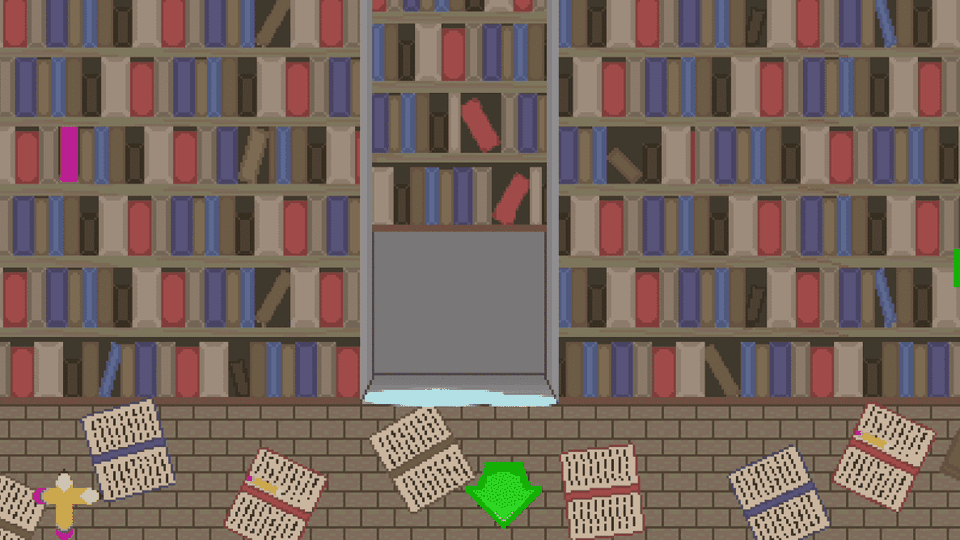
Every scene is a hand-drawn illustration filled with small details and background elements. The consistent art style gives the game a cohesive look across levels. Objects range from everyday items to unusual pieces that blend into the environment, so players cannot rely on a single visual pattern. Because each scene is unique, the search process stays fresh rather than repeating the same layout with minor changes.

Timer and Difficulty Curve

A visible timer runs during each level, encouraging efficient scanning without becoming the main source of pressure. Early scenes use simpler layouts with fewer distractions. Later levels add more objects or busier backgrounds, requiring sharper focus and better scanning habits. This gradual increase in complexity lets players improve naturally instead of hitting a sudden wall.

Browser and Device Support

The game runs entirely in a web browser. No software installation or account creation is required. It is optimized for desktop computers and mobile devices, with touch controls that work on phones and tablets. A full-screen mode provides a larger view for detailed scenes. The interface stays clean, showing clear instructions and an object list that updates as items are found.

Editorial Notes

✅ Compatibility & Testing

• Desktop (Windows 11, macOS Ventura)
• Mobile (iPhone 14, Samsung Galaxy S23)
• Tablet (iPad Pro, Android tablet)
✅Supported browsers: Chrome, Safari, Edge, Firefox (latest versions)
❌ Not supported: Internet Explorer, older browser versions

Faq

Do I need to create an account to play Visual Search Challenge: Find the Items?
No. The game runs entirely in a web browser without account creation or software installation. You open it and start playing. This makes it convenient for quick sessions on shared computers, school devices, or phones where installing apps is not possible.
Does the timer end the level if it runs out?
The input describes the timer as a gentle motivator rather than a source of frustration, so it encourages efficient scanning without being the main obstacle. The exact consequence of running out of time is not specified, but the design intent is to keep pressure low and focus on observation.
Can I play Visual Search Challenge: Find the Items on a phone or tablet?
Yes. The game is optimized for both desktop computers and mobile devices. Touch controls work on phones and tablets, and a full-screen mode is available for a larger view. This makes it practical to play on the device you already have nearby.
Are the scenes the same across all levels?
No. Each level features a unique, hand-drawn illustration filled with small details and background elements. The art style stays consistent, but the scenes and object placements change. This variety is what keeps the search process from feeling repetitive as you move through the game.
Is Visual Search Challenge: Find the Items suitable for children?
The game is tagged Family-Friendly and uses colorful, detailed illustrations designed to appeal to players of all ages. The rules are simple enough for younger players to understand, and there is no complex content. It can work as a shared activity or a solo casual game.
What happens if I cannot find an object?
The input does not describe a hint system or a skip option, so the intended approach is to keep scanning the scene carefully. Objects are integrated into the artwork, which means they often blend into background details. Patience and a systematic scan of the image are the main tools available.