3D Moto Simulator 2 Driving
Reviews
3D Moto Simulator 2 Driving offers a clear arcade riding experience: pick a bike, pick a map, and focus on speed and control. The three bikes handle differently, and the three environments provide enough variety to keep free exploration interesting. The police bike with working lights is a nice extra. It suits players who enjoy skill-based driving without complex simulation systems. The main limitation is that the game is exactly what it says: a driving game with no broader progression or story.
Description
Bike Selection and Handling
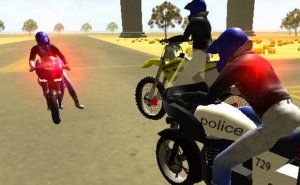
Three bikes are available, each with distinct handling characteristics. Cross bikes and trials bikes serve different riding styles, while the police bike adds working lights and a siren. Switching between them mid-session is possible, letting you compare how each responds to the same terrain. The differences matter most on offroad tracks, where throttle control and balance shift depending on which machine you pick.
Map Design and Exploration
The game includes three large maps: a mountainous desert city, a sprawling urban complex, and a barren wasteland. Each location contains offroad tracks and open areas. The desert city combines elevation changes with built-up sections, the urban complex offers tighter navigation, and the wasteland leans toward wide-open terrain. You can follow tracks or ignore them entirely and ride wherever the map allows.
Controls and Riding Mechanics
Steering uses WASD or arrow keys. The space bar applies a handbrake for sharp turns, which is useful when a corner arrives faster than expected. Shift triggers a nitro speed boost, and C changes the camera view. Keys 1, 2, and 3 switch bikes, R resets the game, G resets your bike if you crash, and E turns on the police lights. The control scheme is simple to learn, but the terrain demands practice.
Skill Progression and Challenge
Speed, control, and terrain reading form the core challenge. Offroad tracks punish careless acceleration, and open areas let you practice without track boundaries. The nitro boost adds a risk-reward decision: use it on a straight for speed, or save it for recovery after a bad landing. Because the game rewards practice rather than unlocks, improvement comes from learning each map and bike combination.










Editorial Notes