Gearshift One Car Customization

Vehicle Customization
Developer: Galactic Veil Interactive
Published: 2026-02-11
Updated: 2026-06-06

Review

Gearshift One offers a satisfying mix of car customization and open world driving. The controls are responsive, and the ability to adjust mechanical parts adds depth. Players can spend hours fine-tuning their vehicles and testing them on custom obstacles. The game is family-friendly and promotes problem-solving without any inappropriate content. It has good replayability because each build feels different. A solid choice for creative players.

About this game

Game Introduction

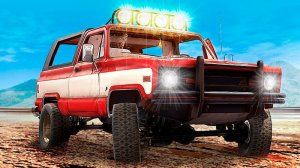
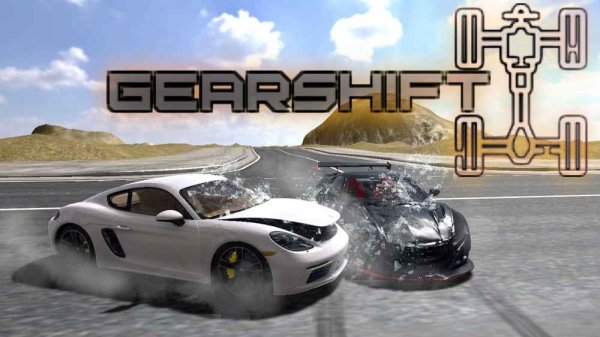
Gearshift One is an immersive vehicle customization game that puts you in control of a mechanical playground. You can experiment with every part of your vehicle, from electronics to mechanical systems, and design cars that match your style. The open world environment lets you drive freely, place obstacles, and test how your creations perform. This game is designed for players who enjoy building, tuning, and problem-solving. It is family-friendly and encourages creative thinking without any violent or inappropriate content.

How to Play

To play Gearshift One, use your keyboard or gamepad to drive and control your vehicle. With a controller, steer with the left stick, use triggers for throttle and brake, and shift gears with buttons. On keyboard, use WASD or arrow keys to drive, space for handbrake, and shift for clutch. Press T for slow motion, R to repair, and C to change camera. Explore the open world, customize obstacles, and test your engineering skills. The map key M helps you navigate the environment. Start by driving around to get used to the controls, then begin modifying your vehicle to improve its performance.

Game Features

Gearshift One includes several features that make it stand out. It offers an open world driving experience with no linear paths. Deep vehicle customization allows you to adjust many parts. Realistic controls give a true driving feel. Obstacle testing lets you challenge your builds. The game works with both controller and keyboard. These features support creativity and hands-on learning.

Tips for Success

You will enjoy Gearshift One because it combines building and driving in a safe, creative space. The game rewards experimentation and lets you see immediate results from your changes. It is suitable for players who like to tinker and explore without pressure.

Compatibility

✅ This game supports:
- Desktop browsers (Chrome, Edge, Safari)
- Mobile browsers (Chrome on Android, Safari on iOS)
❌ Does NOT support: - Internet Explorer - Very old browser versions
👉 Try refreshing or updating your browser
FAQ
Is Gearshift One available on mobile devices?
Based on the game description, Gearshift One is designed for PC and supports Xbox controller and keyboard/mouse. There is no mention of mobile compatibility, so it is likely not available on phones or tablets.
Can I play Gearshift One offline?
The game is described as an online arcade game, suggesting an internet connection may be required for some features. However, the open world driving and customization might be playable offline. Check the game's official details for specific offline capabilities.
Are there any in-game purchases or microtransactions?
The provided information does not mention in-game purchases. Gearshift One is presented as a family-friendly creative space focused on building and driving. Without explicit details, it is best to assume no microtransactions unless stated otherwise by the developer.
What age group is Gearshift One suitable for?
Gearshift One is described as family-friendly and encourages creative thinking without violent or inappropriate content. It is suitable for players of all ages who enjoy building, tuning, and problem-solving, making it a great choice for kids and adults alike.
Does Gearshift One have multiplayer or online features?
The game name includes 'Online', suggesting some online functionality. However, the description focuses on single-player open world driving and customization. It may include online leaderboards or sharing creations, but specific multiplayer modes are not confirmed.
Can I use a steering wheel or other peripherals with Gearshift One?
The game description mentions support for Xbox controller and keyboard/mouse. There is no mention of steering wheel compatibility. Players interested in using a steering wheel should check the game's official specifications or community forums for peripheral support.
Gearshift One Car Customization
Advertisement

Similar Games