Vertigo City Racing Arcade

Car Driving Racing
Developer: Zinc Core Labs
Published: 2024-12-12
Updated: 2026-06-06

Review

Madness Driver Vertigo City Racing Game Online offers a balanced mix of racing and exploration. The two-player mode adds replayability, while gem collection and car customization keep each run interesting. Controls are responsive, and the city environment is fun to drive through. It is a solid choice for casual gamers looking for safe, family-friendly entertainment.

About this game

Game Introduction

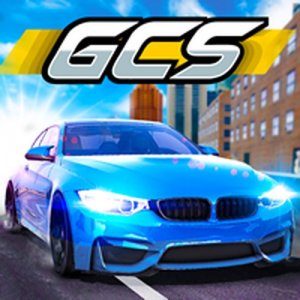
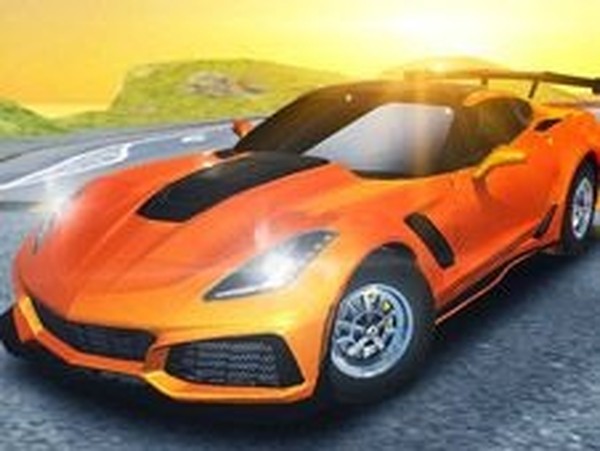
Vertigo City Racing Arcade invites players into a vibrant urban environment filled with high-speed racing action. As a supercar driver, you navigate through city streets, ramps, and hidden areas while collecting gems and performing stunts. The game emphasizes both competitive racing and free exploration, offering a colorful, arcade-style experience that is suitable for players of all ages. Its core objective is to drive through the city, complete races, and discover what the environment has to offer.

How to Play

Players control their vehicle using standard keyboard inputs. Typical controls include arrow keys or WASD for steering and acceleration, with additional keys for special actions like boosting or restarting. The game may include a two-player mode where each player uses a separate set of keys. You can choose to race against opponents or simply drive freely around the city. Collecting gems and using ramps adds extra excitement to the experience. The controls are designed to be simple and easy to learn, allowing new players to start driving quickly.

Game Features

Key features include a 3D city environment with ramps for stunts, gem collection to track progress, and car customization options that let you personalize your vehicle. The game may offer both single-player and two-player modes, allowing you to race or explore with a friend. Amusement park-style activities add variety to the gameplay. As an arcade racing game, it focuses on fun, fast-paced driving without complex simulations, making it accessible to casual players.

Tips for Success

To succeed in Vertigo City Racing, practice your driving skills to master turns and ramps. Collect as many gems as possible to unlock or improve vehicles. Use the nitro boost strategically on straightaways for maximum speed. Explore the city to learn the layout and discover hidden areas. If playing in two-player mode, communicate with your friend to coordinate or compete effectively. Regular practice will help you improve your lap times and stunt performance.

✅ Compatibility & Testing

• Desktop (Windows 11, macOS Ventura)
• Mobile (iPhone 14, Samsung Galaxy S23)
• Tablet (iPad Pro, Android tablet)
✅Supported browsers: Chrome, Safari, Edge, Firefox (latest versions)
❌ Not supported: Internet Explorer, older browser versions
FAQ
Is this game free to play?
Based on the game name and tags, it is described as an online arcade game. Many such games are free to play, but specific pricing or payment models are not stated. You may need to check the official game page or platform for details on cost.
What platforms can I play this game on?
The game is described as an online arcade game, which typically means it can be played in a web browser on a computer. It may also be available on mobile devices or other platforms, but this is not specified. Check the game's official website or store listing for supported platforms.
Can I play this game offline?
The game is labeled as an online arcade game, suggesting it requires an internet connection to play. Offline play is not indicated by the name or tags. For a definitive answer, refer to the game's official description or support resources.
Are there different difficulty levels?
The game name and tags do not specify difficulty levels. As an arcade racing game, it may offer a single difficulty or adjust challenge based on player performance. For accurate information, consult the game's settings or official documentation.
How do I customize my car?
Car customization is mentioned as a feature, but specific options are not detailed. Typically, such games allow you to change colors, parts, or performance upgrades. In-game menus or the garage area are likely where you can modify your vehicle. Look for customization options within the game interface.
Is there a story or campaign mode?
The game is described as a racing arcade game with city exploration and gem collection. It may not have a traditional story mode, focusing instead on driving and stunts. Some games of this type include progression or missions, but this is not confirmed. Check the game's features for campaign details.
Vertigo City Racing Arcade
Advertisement

Similar Games