City Road Navigator
Reviews
City Road Navigator succeeds as a casual driving simulation because it avoids the pressure of timers and opponents. The two maps offer contrasting layouts—one dense and tight, the other open and wide—which keeps navigation interesting. Vehicle variety adds replay value, as each car handles differently. The browser-based format and desktop-focused design make it easy to start. Its main limitation is the lack of competitive modes, but that is also its intended strength for players seeking a calm, skill-building drive.
Description
Precision Driving in an Urban Setting
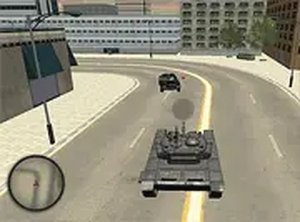
City Road Navigator places you behind the wheel in a detailed city environment. The core activity is straightforward: steer through streets, turn at intersections, and avoid stationary objects such as parked cars and barriers. The control system is tuned for precision, with smooth acceleration, braking, and steering. This focus on accurate handling makes each trip feel deliberate rather than frantic. There are no timers or opponents, so the pace is entirely yours. The challenge comes from reading the road ahead and adjusting your inputs accordingly.
Two Maps, Two Driving Rhythms
The game includes two separate maps, each with a distinct layout. One map presents a dense city grid with tight corners and numerous obstacles, demanding close attention to your surroundings. The other offers a more open environment with wider roads and different visual landmarks. Switching between these areas changes how you approach turns and speed management, keeping the driving experience from feeling repetitive. The contrast between tight and open spaces encourages you to adapt your technique rather than rely on a single driving style.
Vehicle Choice and Handling Differences
Players can choose from multiple vehicle types, each with unique handling characteristics. Some vehicles feel lighter and more responsive, while others provide a heavier, more stable ride. This variety means the same map can play differently depending on what you drive. Experimenting with different options helps you find a vehicle that matches your preferred driving style. The interaction between vehicle type and map layout adds replay value, as each combination requires slightly different steering and braking habits.
Desktop-First Design and Accessibility
City Road Navigator is built specifically for desktop computers, taking advantage of larger screens and keyboard controls. The interface is clean and unobtrusive, with clearly labeled buttons for vehicle switching and map selection. A full-screen mode minimizes distractions for a more immersive view of the road ahead. No downloads or installations are required; the game runs directly in a web browser, making it easy to start a session on any compatible computer. The learning curve is gentle, so newcomers can begin driving almost immediately. Performance is smooth on most modern systems.










Editorial Notes