Butterfly Hues: A Mindful Coloring Space
Reviews
Butterfly Hues delivers a focused coloring experience without timers, scores, or competitive pressure. The curated butterfly and nature outlines, combined with a flexible virtual brush and broad palette, encourage playful experimentation. Controls work smoothly across desktop and mobile. Saving and sharing finished pieces adds a gentle sense of progress. This app suits anyone seeking a low-stakes creative break or a winding-down routine. Its main limitation is the lack of detailed information about pricing, offline use, and device compatibility, which potential users should verify before downloading.
Description
A Calm Coloring Approach
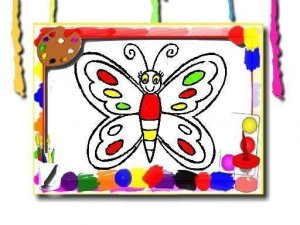
Butterfly Hues presents a curated selection of butterfly and nature-themed outlines. The experience is built around unhurried creativity: no countdowns, no point tallies, no pressure to finish quickly. You choose an image that catches your eye and begin applying color. The interface is clean and minimal, letting the artwork take center stage. This setup suits both brief moments of downtime and longer, immersive sessions. [IMG_1]
Tools for Personal Expression
The coloring tools are straightforward yet flexible. A virtual brush allows for precise application, while the palette offers a broad spectrum of hues. You can switch colors at any moment, layering shades or experimenting with unexpected combinations. If a section needs redoing, a simple color change and a tap corrects it instantly. This freedom encourages playful exploration without fear of mistakes. Controls respond equally well to mouse clicks on a desktop or finger taps on a mobile screen, ensuring a consistent experience across devices. [IMG_2]
Stress Reduction Through Art
Many activities in this genre aim to lower stress, and Butterfly Hues aligns with that goal. The repetitive, focused motion of filling in shapes can quiet a busy mind. The natural themes—butterflies, leaves, flowers—add a soothing visual element. Because there is no right or wrong way to complete a picture, you can relax into the process. This makes it a useful tool for a quick mental reset during a hectic day or as part of a regular winding-down routine.
Saving and Sharing Your Work
Once a piece feels complete, you can save your creation to a local device. This feature allows for building a personal gallery of finished works. Sharing with family or friends is straightforward, turning a private activity into a way to connect with others. The saved images can also serve as a record of progress, showing how color choices and techniques evolve over time. This simple feedback loop adds a layer of satisfaction without introducing competition or deadlines.






Editorial Notes