KoGaMa Block Builder Pixel 3D
Building Creative Exploration Pixel 3D Sandbox Family Arcade
KoGaMa Block Builder Pixel 3D
62
Developer: Stun Interactive
Published: 1749484800
Updated: 2026-09-30

Reviews

KoGaMa Block Builder Pixel 3D succeeds as a low-stakes creative outlet. Its strength is the lack of objectives: you can build, jump, and explore without timers or failure. The pixel art keeps the world clear and readable. The main limitation is that players who need direction or progression may find it too open. It suits younger audiences and anyone who enjoys sandbox construction over structured challenges.

Description

What You Actually Do

KoGaMa Block Builder Pixel 3D drops you into a pixelated 3D landscape with no set objectives. Your main activity is placing blocks to build structures like towers and bridges, while also jumping across platforms to explore the map. The game mixes creative construction with light action movement, so you alternate between building and navigating the terrain. There is no timer or score to chase, which means every session is shaped by what you decide to make or where you decide to go.

Controls and Movement

On desktop, you move with WASD or the arrow keys and press the spacebar to jump over gaps or onto higher platforms. The mouse lets you click to place blocks wherever you want. Touch devices use tap controls for movement and building. These inputs are simple enough that beginners can start building within minutes, and experienced players can still work efficiently on larger designs. The game does not require complex key combinations, so the focus stays on what you build rather than how you press buttons.

Visual Style and Tone

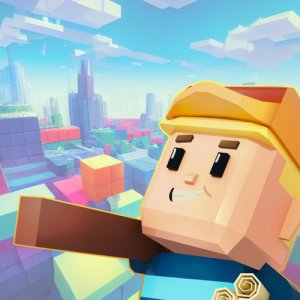
The graphics use a retro pixel aesthetic with bright, blocky shapes. This visual choice keeps the world readable: you can easily judge distances between platforms and see where blocks will fit. The atmosphere stays light and family-friendly, with no graphic content. Because the art style is simple, the game runs smoothly and the environment never feels cluttered. It also means your own creations stand out clearly against the landscape.

Open-Ended Play and Sharing

Without strict goals, the game encourages you to set your own targets, such as building a tall tower or a long bridge. You can explore the map to find interesting spots for construction, then experiment with block placement to make stable structures. Online play lets you connect with others in a shared world, though available features can vary. Sharing your creations with friends or the community is a natural extension of the building focus, and seeing what others make can give you new ideas for your own projects.


Editorial Notes

✅ Compatibility & Testing

• Desktop (Windows 11, macOS Ventura)
• Mobile (iPhone 14, Samsung Galaxy S23)
• Tablet (iPad Pro, Android tablet)
✅Supported browsers: Chrome, Safari, Edge, Firefox (latest versions)
❌ Not supported: Internet Explorer, older browser versions

Faq

Does KoGaMa Block Builder Pixel 3D have a story mode or campaign?
No. The game is built around open-ended sandbox play with no strict objectives or narrative. You are not guided through levels or missions. Instead, you decide what to build and where to explore. This design makes it easy to pick up for a few minutes or spend a longer session on a single construction project.
Can I play KoGaMa Block Builder Pixel 3D on a touchscreen device?
Yes. The game supports touch controls on mobile devices. You tap the screen to move your character and to place blocks. The controls are simplified compared to keyboard and mouse, but the core building and jumping mechanics remain the same. This makes it accessible for younger players or anyone without a desktop setup.
Is there any way to lose or fail in KoGaMa Block Builder Pixel 3D?
There is no fail state, timer, or score to beat. You cannot lose the game in a traditional sense. Falling off a platform just means you try again or take a different route. This absence of pressure is intentional and supports the relaxing, creative focus. You can experiment without worrying about penalties.
What can I build in KoGaMa Block Builder Pixel 3D?
You can place blocks to construct towers, bridges, and other structures. The game does not limit you to specific blueprints, so any shape you can assemble from blocks is possible. Stability matters when building upward or across gaps, so you may need to test your designs by walking or jumping on them.
Does KoGaMa Block Builder Pixel 3D have online multiplayer?
The game includes online play where you can connect with others in a shared world. However, the exact features available online may vary. You might see other players' creations or build alongside them, but the input does not specify the full range of multiplayer options. Treat online functionality as a shared space rather than a competitive mode.
Is KoGaMa Block Builder Pixel 3D suitable for young children?
The game is designed to be family-friendly with colorful pixel graphics and no graphic content. The simple controls and lack of objectives make it easy for children to understand. However, online play means you may encounter other users, so parental supervision is still recommended for younger players. The building focus encourages creativity rather than competition.